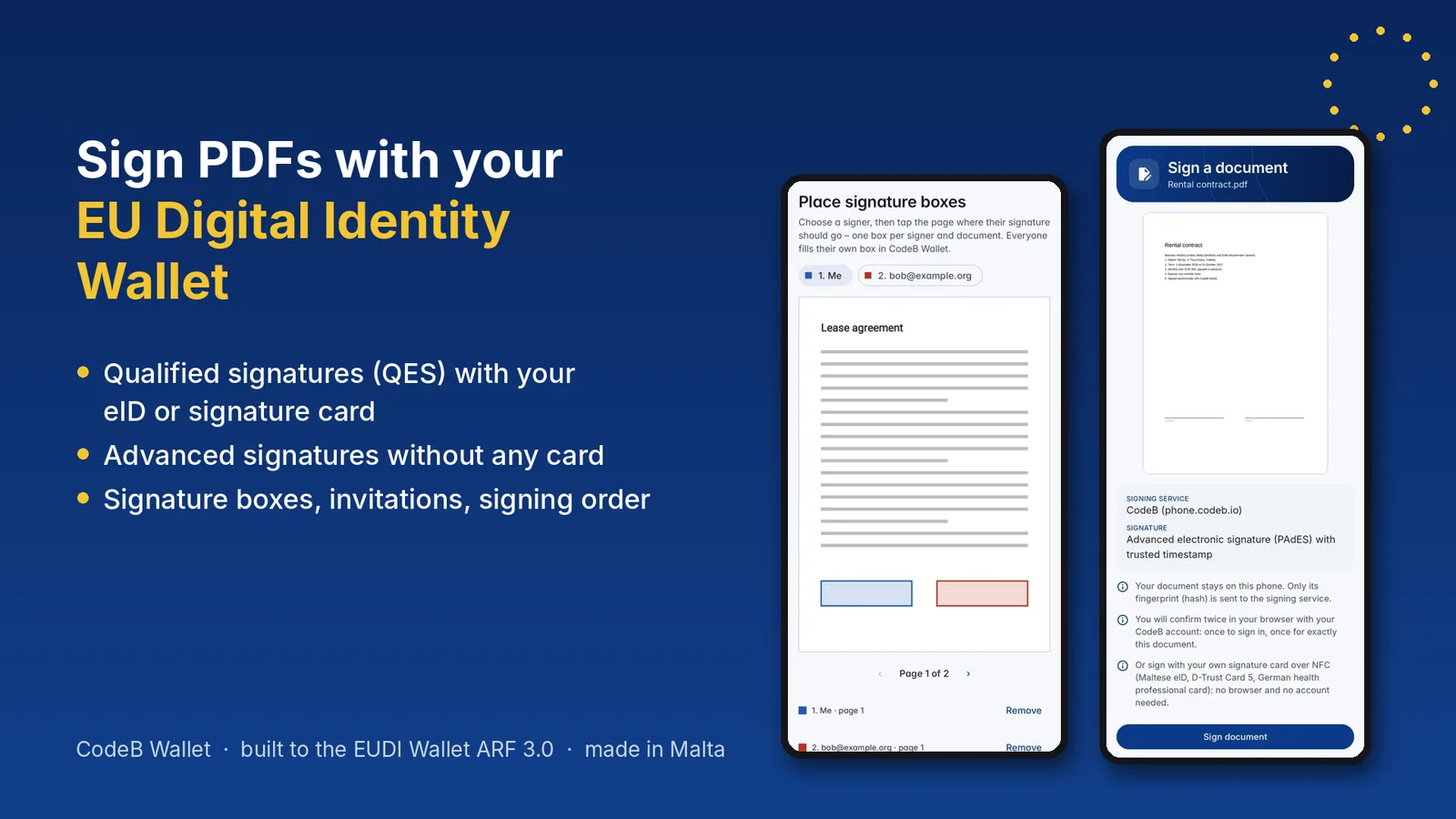
Your EU Digital Identity Wallet can sign: qualified with your card, advanced without one
Most conversations about the European Digital Identity Wallet are about proving who you are. Far fewer are about what people will do with it every single week: sign things. Leases, contracts, invoices, consent forms, HR paperwork. In CodeB Wallet, signing is not an add-on – it lives right next to your identity, in the same app.
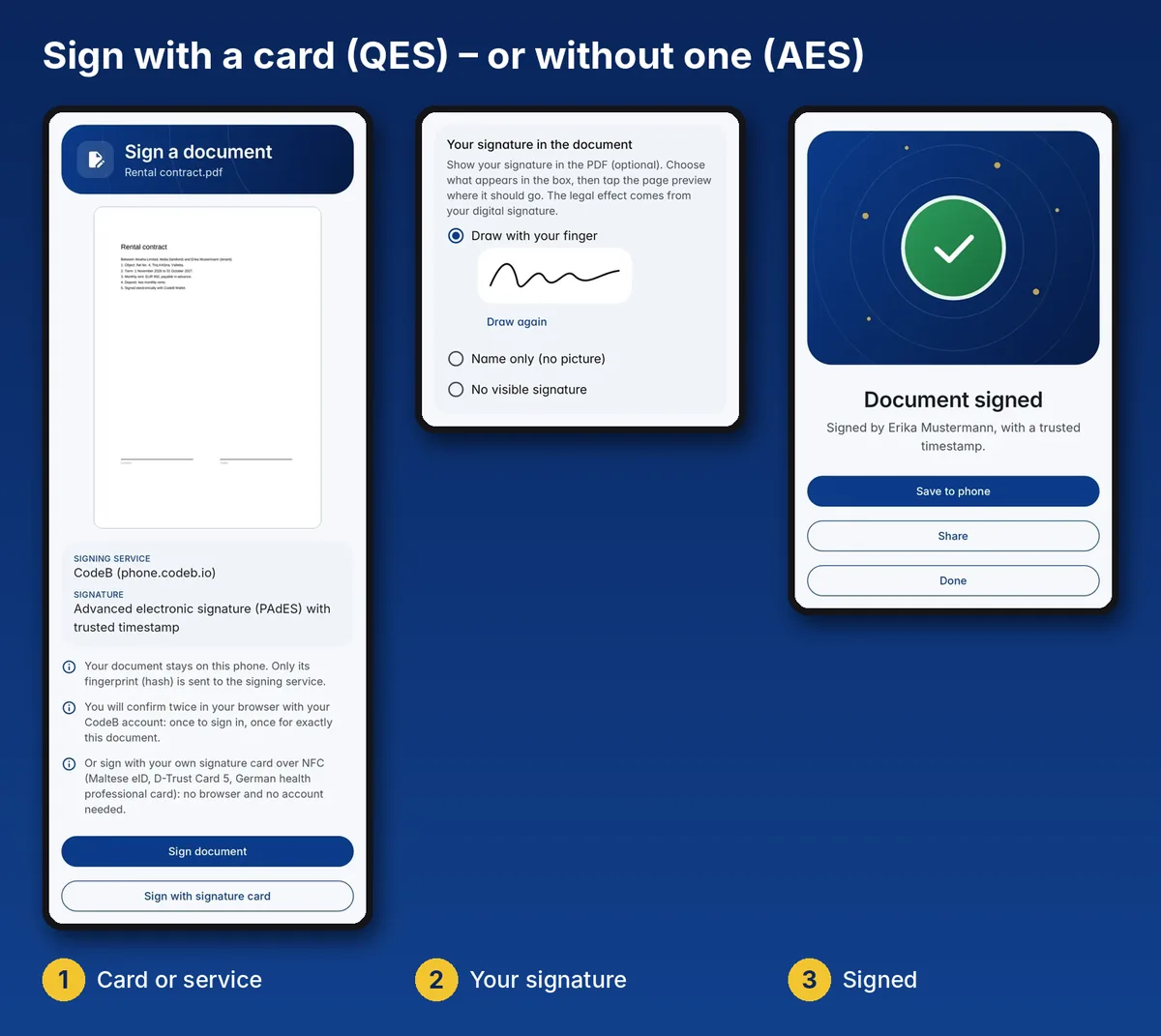
Two ways to sign – you choose for every document
Qualified electronic signature (QES) with your own card. Hold your signature card to your Android phone, enter the card access number and your signature PIN – the card creates the signature and the key never leaves the chip. No card reader, no computer, no browser plug-in. Supported: the Maltese eID and Maltese residence cards, the D-Trust Card 5.1 (signature) and 5.4 (qualified seal for organisations) and the German health professional card (HBA). The German electronic health card (eGK) signs as well – as an advanced signature.
Advanced electronic signature (AdES) – no card needed. No signature card? The CodeB remote signing service signs a fingerprint (hash) of your PDF – the document itself stays on your phone. All you need is a free CodeB account.
Either way you get a PAdES signature with a trusted timestamp, and the app tells you plainly whether the certificate states a qualified signature. Under eIDAS, a qualified signature has the same legal effect as a handwritten one; an advanced signature covers many everyday documents. CodeB Wallet itself is not certified.
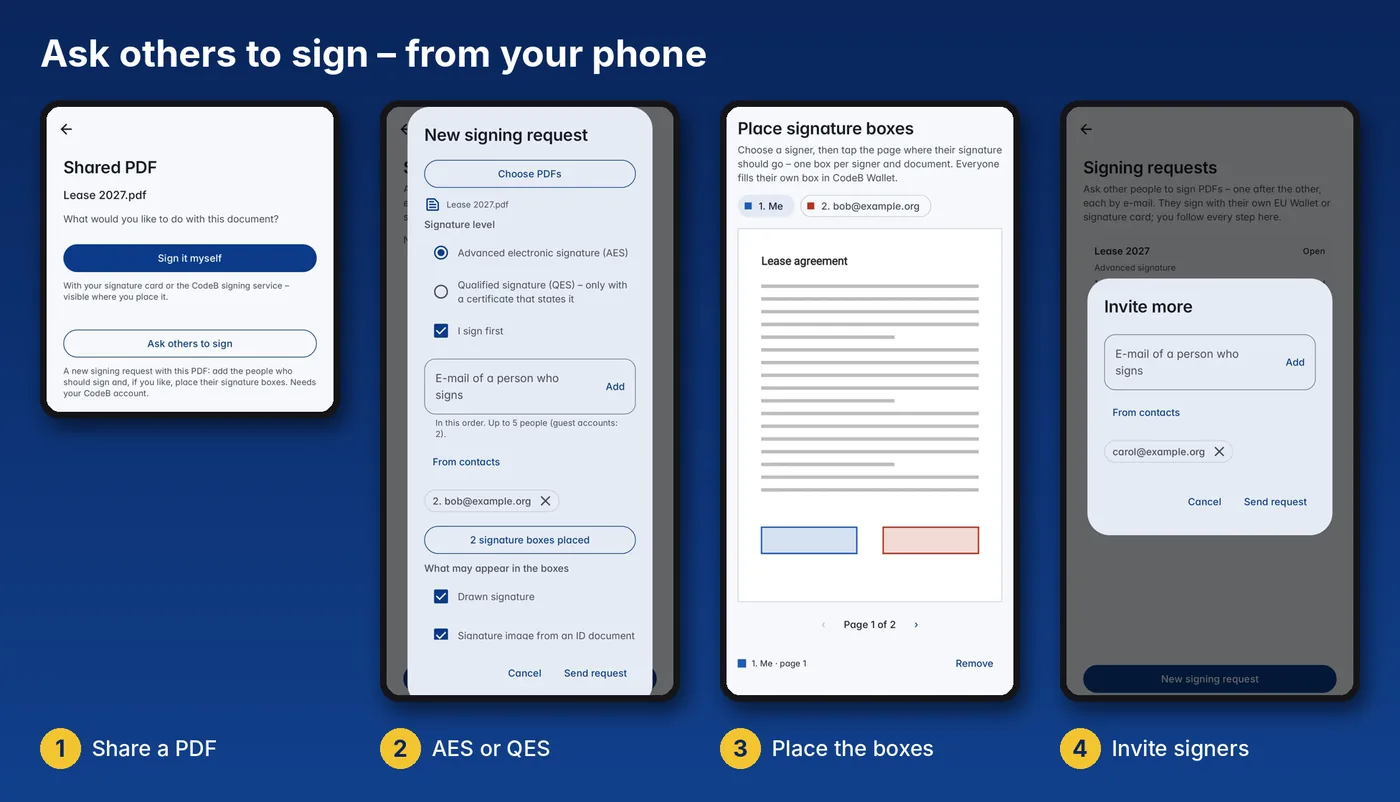
Ask others to sign – straight from your phone
Share any PDF from your files, e-mail or messenger to CodeB Wallet and tap Ask others to sign:
- Choose the level: advanced (AES) or qualified (QES).
- Add the people who sign – typed or picked from your contacts – in the order they should sign.
- Place a signature box for every signer: tap the page where their signature belongs, on any page.
- Decide what may appear in the boxes: a drawn signature, the signature image from an ID document, or the name only.
- Send. Each signer gets an e-mail when it is their turn and signs in their own wallet – you follow every step.
Every signer signs the PDF exactly as the previous one left it, so earlier signatures stay valid. Up to 10 PDFs fit into one request, and PDF/A-3 documents such as ZUGFeRD and Factur-X e-invoices stay conformant with a visible signature. Step by step: Signing requests and Signature fields.
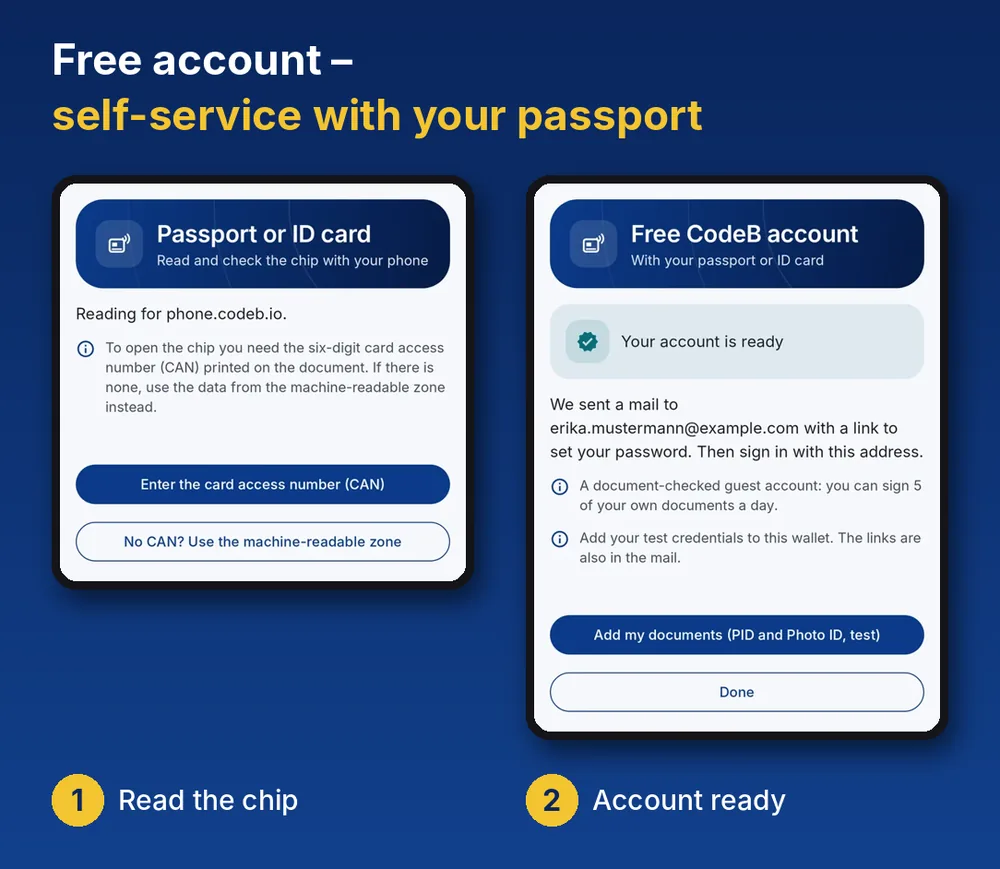
Your account in about two minutes – self-service with your passport
The free CodeB account needs no paperwork and no video call: the app reads the chip of your passport or ID card with the phone’s NFC and checks it. Minutes later you can sign with the remote signing service. Signing with your own signature card needs no account at all.
Built on the EU Digital Identity Wallet framework
CodeB Wallet follows the EU Digital Identity Wallet Architecture and Reference Framework (ARF 3.0): your PID and attestations arrive via OpenID4VCI, you share them online via OpenID4VP and in person via ISO/IEC 18013-5, with keys protected by the phone’s hardware. The same app that proves who you are also signs what you agree to.
Why it matters
When the EUDI Wallet reaches every citizen, people will expect it to do more than show an ID. A wallet that signs – qualified when the law requires it, advanced when that is enough – turns identity into action. Signing has been at the heart of what Aloaha does since 2003; now it is in your pocket.