Your European digital identity.On your Android phone.
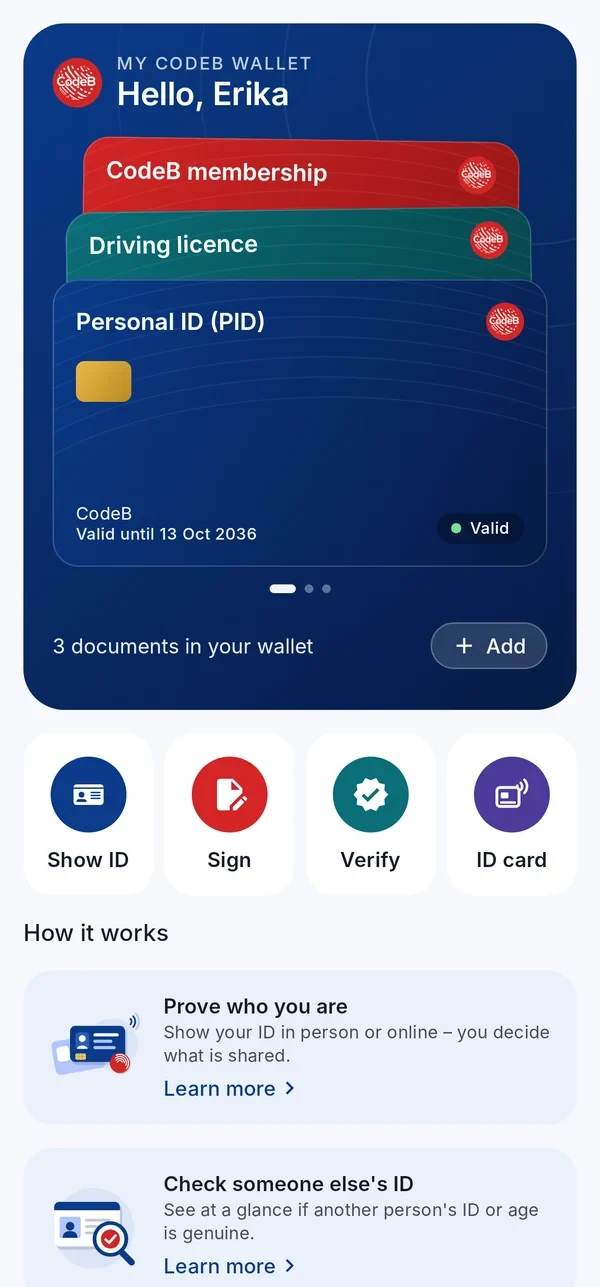
Keep your digital ID, driving licence and cards on your phone. Show them in person or online, check other people’s IDs and sign PDFs – nothing is shared without your OK.
Made by Aloaha Limited, Malta. More than 20 years of PDF, smart card and identity provider development went into CodeB Wallet – the result is a small app with few third-party dependencies, built on our own know-how.
Android Android closed beta: sign up here with the e-mail address of your Google account – we add you to the testers, then you install CodeB Wallet from Google Play. An independent wallet: not government-issued and not certified.
Tested against the standards
273 official conformance tests. 0 failures.
The CodeB issuer and verifier behind CodeB Wallet passed all six official test plans for OpenID4VCI 1.0 and OpenID4VP 1.0 with HAIP 1.0 – the standards on which the EUDI wallets are built. Your cards speak the same language as every wallet that follows the European rulebook, and their protection is tested, not just promised; which cards are accepted is still decided by certificates and trust lists. These are tests of our servers, not a certification of the app.
Sign PDFs with your Maltese eID card – right on your phone
No card reader, no computer, no browser plug-in: hold your signature card to your Android phone and the card signs the PDF. CodeB Wallet itself is not certified.
Maltese eID and residence cards
Your Maltese identity card carries a qualified signature certificate. CodeB Wallet turns your Android phone into the card reader: enter the card access number (CAN), hold the card to the phone, enter your signature PIN – done.
Qualified electronic signature (QES) with the certificate on your Maltese eID card
Also works with Maltese residence cards that carry a signature certificate
The signature key never leaves the card’s chip
Encrypted connection between phone and card (PACE)
PAdES signature with trusted timestamp, checkable in common PDF readers
Professionals and organisations who already use a D-Trust card with NFC sign straight from the phone: the D-Trust Card 5.1 for qualified electronic signatures, the D-Trust Card 5.4 for qualified electronic seals.
D-Trust Card 5.1: qualified electronic signature
D-Trust Card 5.4: qualified electronic seal for organisations
Doctors, pharmacists and other health professionals sign with their health professional card (HBA). Insured persons can sign with their electronic health card (eGK). Both over NFC, without a card reader.
HBA G2.1: qualified electronic signature (QES)
eGK G2.1: advanced electronic signature with the card’s authentication certificate
Card access number (CAN) and PIN – the key never leaves the card
Your free CodeB account – opened with your passport or ID card
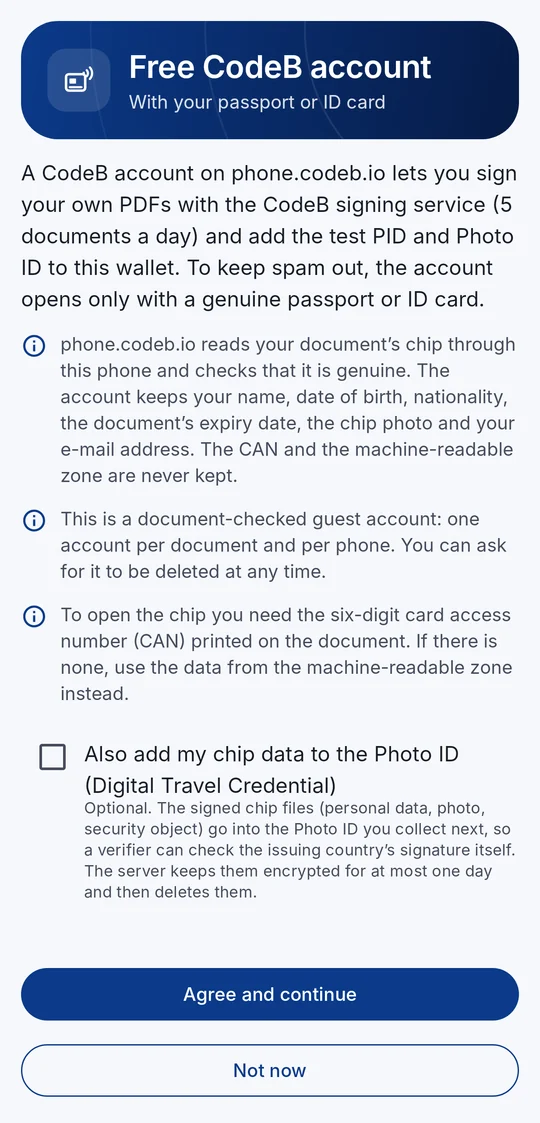
Signing your own PDFs with the CodeB signing service and the test PID and Photo ID need an account on phone.codeb.io. You open it right in the app, in about two minutes: hold your passport or ID card to your phone, confirm your e-mail address – done. No form, no captcha, no waiting for approval.
Sign 5 of your own PDFs a day – documents others ask you to sign do not count
Add the test PID and Photo ID straight to your wallet
Works on a freshly installed app – no other card needed
Passports and ID cards with a chip from 115 countries
On your Android phone, “Open in the app” takes you straight to the account screen – also right after installing.
Why a passport or ID card?
To keep spam and bots out, phone.codeb.io reads the chip of your document through your phone and checks that it is genuine – and that the app is the genuine CodeB Wallet on a genuine phone. One account per document and per phone. The CAN, the machine-readable zone and the raw chip data are never kept.
It is a document-checked guest account – not an official identity and not a qualified signature.
1Read what is checked and kept
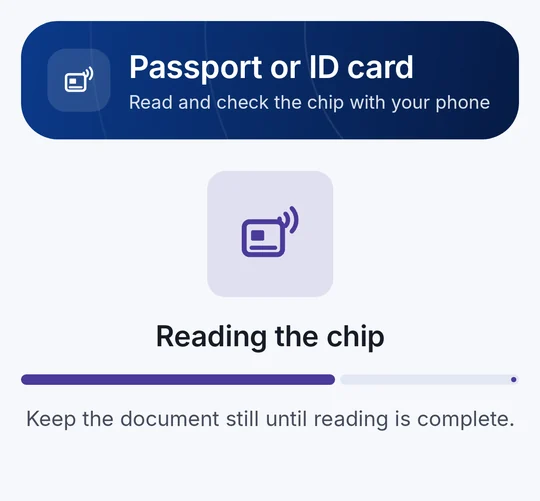
2Hold your passport or ID card to the phone
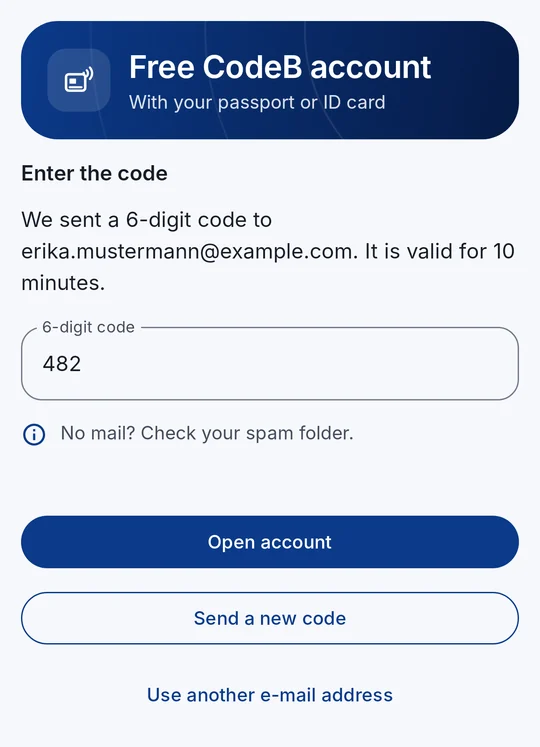
3Type the code from the mail
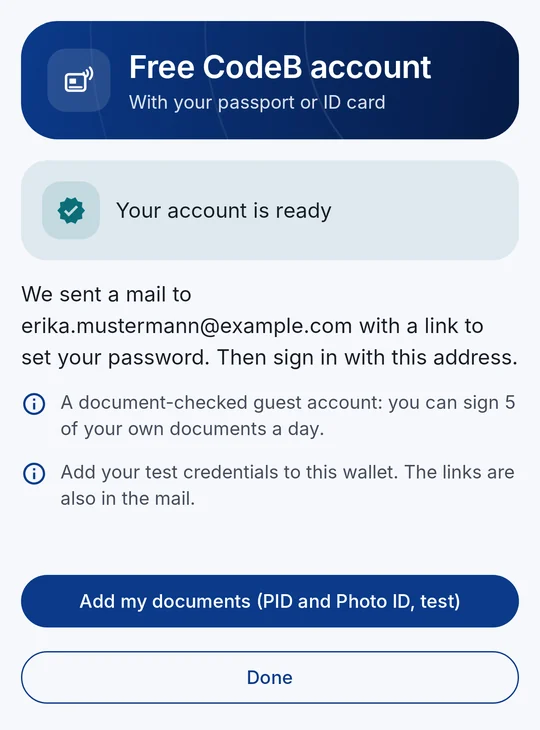
4Account ready – add the test PID and Photo ID
Pseudonyms · passkeys · available now
Sign in without a password – and without your name
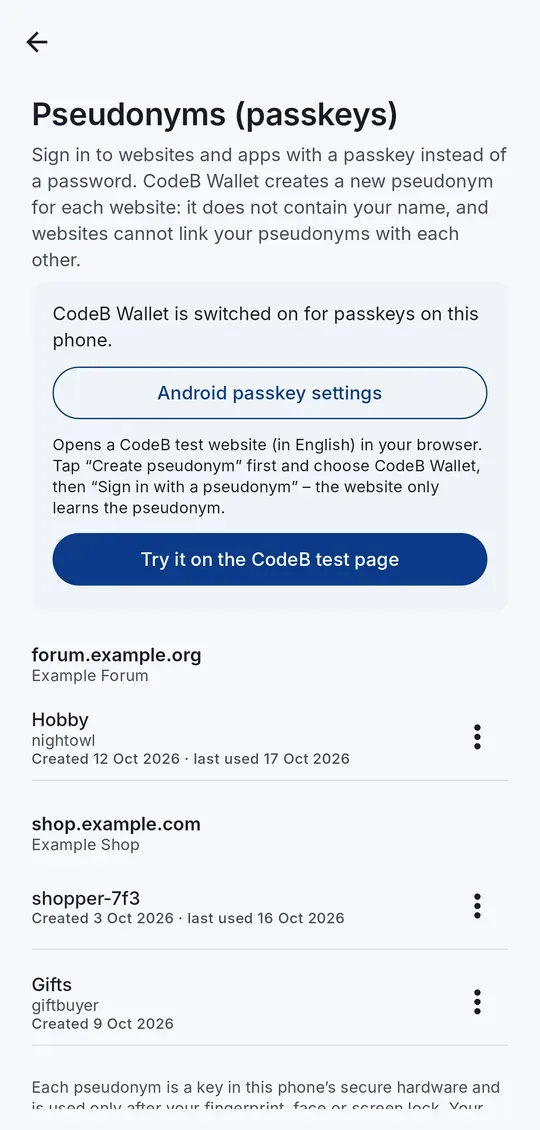
CodeB Wallet already does what the EU Digital Identity Wallet architecture (ARF 3.0, Topic 11) describes for pseudonyms: on any website that offers passkeys, the app creates a new pseudonym just for that website. You confirm with your fingerprint, face or screen lock – no password to remember, nothing to phish, and the passkey itself hands over no name or e-mail address – a website may still ask you for account details.
A new pseudonym for every website – no shared identifier between websites
The key stays in your phone’s secure hardware and is used only after you confirm
Built on the passkey standard (W3C WebAuthn) that many websites already support
Rename or delete your pseudonyms in the app – every use is in the History
On an Android 14 phone with CodeB Wallet switched on for passkeys, open our test page in Chrome, tap “Create pseudonym”, choose CodeB Wallet – then “Sign in with a pseudonym”.
Why pseudonyms?
A password can be guessed, leaked or phished, and the same e-mail address lets websites follow you from one to the next. A pseudonym is a key pair made for one website only: the website gets the public key, your phone keeps the private key. It contains nothing about you and works only on the website it was made for.
Needs Android 14 or newer. A pseudonym signs you in – it does not prove who you are; for that, you share your PID.
See it in action
CodeB Wallet in 30 seconds
No mock-ups, no slides: this is the wallet running on a phone today – adding a card, showing an ID, signing a PDF and checking someone else’s ID.
Two people must not be able to combine their genuine cards into one person who does not exist. CodeB Wallet ties your cards together, so a service that asks for several of them at once sees that they belong to you – a weakness researchers named credential pooling (CRESTA). Built with standard EUDI formats, privacy kept.
Add your Person Identification Data (PID, test credentials) – including the German PID – from the CodeB issuer (phone.codeb.io). Issuance uses OpenID4VCI; available as SD-JWT VC and ISO mdoc.
Sign in to websites and apps with a passkey from CodeB Wallet: a new pseudonym for every website, kept in your phone’s secure hardware, confirmed with your fingerprint or screen lock. Your pseudonyms share no identifier between websites.
The app notices when it was changed or is being inspected while it runs, and then refuses to use your keys and documents. Our own code – nothing is sent anywhere.
Runtime self-protection
Mobile driving licence
Keep a mobile driving licence (mDL) on your phone – as SD-JWT VC for online use and as ISO/IEC 18013-5 mdoc for showing it in person. From the CodeB issuer as a test credential.
mDL · ISO/IEC 18013-5
CodeB membership card
Add the CodeB membership card from the CodeB issuer and show it like any other document in your wallet.
Attestation
Add documents your way
Choose the issuer directly in the app, or scan the QR code an issuer gives you – the wallet then starts the issuance for you. Adding a card again replaces the older copy, so your wallet does not fill up with duplicates.
Start with a QR code or an NFC tap; the data then goes phone-to-phone over Bluetooth Low Energy. Both BLE roles are supported for broad reader compatibility, and it works offline.
Show only that you are over 18 – online on websites and apps (OpenID4VP) and in person (ISO/IEC 18013-5). CodeB Wallet can also check someone’s age as a reader, and websites can use the online age check.
CodeB Wallet works as an ISO/IEC 18013-5 reader with a clear verdict – trusted, look closer or do not accept – including a revocation status check. Nothing is stored.
No QR code needed: hold the two phones back to back. The checking phone reads the other phone’s ID over NFC and Bluetooth – handy at a counter or between two CodeB Wallets.
An NFC memory card from your organisation turns your phone into a standard NFC tag: a link, a text or a contact card that any phone or NFC reader can read – read-only, or writable so a check-in desk or smart-home reader can store new content on your phone.
Hold a chip ID card or an ePassport to your phone: CodeB Wallet reads the data on the chip – name, date of birth, nationality, document number, expiry date and the photo – and checks that the issuing country signed it and that the chip is not a copy.
Organisations check a person’s passport or ID card remotely: the person holds the document to the phone, and the server reads the chip itself and checks the issuing country’s signature and that the chip is no copy – instead of photos or video calls of the document.
When you add your Personal ID (PID) from the CodeB PID Provider, you can use the chip of your ID card or passport instead of typing your details: the provider’s server reads and checks the chip itself through your phone and fills in your details from it.
Create your CodeB account right in the app with your passport or ID card: phone.codeb.io checks that the chip is genuine, you confirm your e-mail address with a code, and you can sign 5 of your own PDFs a day and add the test PID and Photo ID.
A Photo ID (ISO/IEC TS 23220-4, eu.europa.ec.eudi.photoid.1) issued from your checked passport or ID card. If you agree, it also carries the chip data as a Digital Travel Credential (ICAO DTC type 1), so a verifier can check the issuing country’s signature itself.
Manage the list of issuer certificates you trust when verifying. CodeB’s own issuer certificate is built in; you can import further certificates.
Trust list
Sign PDF documents – visible, advanced or qualified
Sign PDFs with a PAdES signature and trusted timestamp: advanced (AdES) via the CodeB signing service, or qualified (QES) with your own signature card holding a qualified certificate. Place your visible signature where you want it – drawn, the image from your ID document or your name. The PDF stays on your phone.
Photograph a paper document, get a clean PDF and sign it on the spot – with your signature card or the CodeB signing service, always with a trusted time stamp.
Hold your signature card to the phone – the Maltese eID or a Maltese residence card, a D-Trust Card 5, a German health professional card (HBA) or a German electronic health card (eGK) – and sign PDFs with the key on the card: no browser, no account.
Sign in to phone.codeb.io with the Maltese eID card: scan the QR code on the sign-in page, hold the card to your phone and enter the card’s authentication PIN.
An AI agent asks before it pays, orders or books, and it prepares signing requests. You see exactly what it wants and approve by code and screen lock; it can never sign.
Phone in CodeB Wallet: dial or pick a contact, and the person you call sees your verified name while their phone rings. No phone numbers go to our server.
A built-in authenticator: scan a website’s QR code and get six-digit sign-in codes (TOTP) on your phone, even offline. Pin, sort into groups such as Work or Family, search, and move all codes to a new phone with a few QR codes.
Each document shows the recent times you shared it – who received it, when, and exactly which details. One tap opens the entry, where you can ask for deletion or report a verifier. Taken from the history on your phone; nothing is sent anywhere.
CodeB Wallet tells you on your phone when a document is about to expire or could not be renewed automatically – one tap opens it to renew. The reminder is created on your phone; nothing is sent anywhere.
Built with the European Accessibility Act in mind: works with the TalkBack screen reader, with very large text and with animations switched off – results, checks and steps are read out clearly, and card colours stay readable.
Accessibility
Guides and changelog
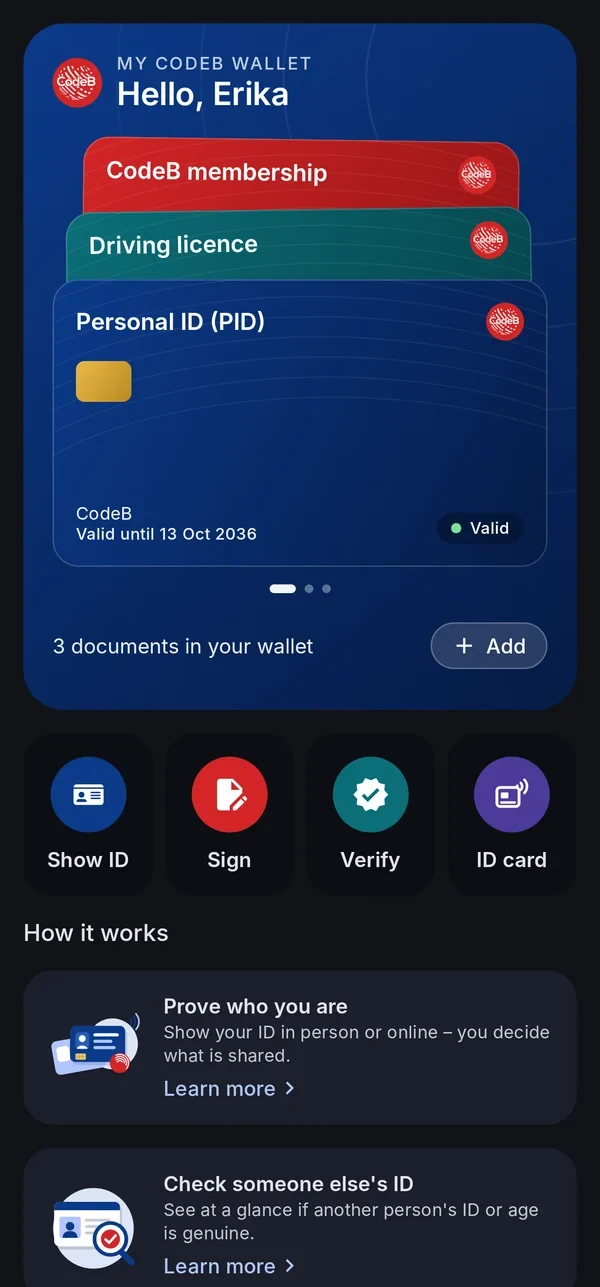
Built-in “Learn more” guides explain every function in plain words, and an in-app changelog shows what is new. Swipe through your cards on the home screen.
The EUDI wallet model separates the issuer of a credential, you as the holder, and the service that checks it.
Get a document
Choose an issuer in the app – such as the CodeB issuer – or scan an issuer’s QR code. Issuance uses the OpenID4VCI protocol.
Keep it on your phone
The document is stored on your device. Its keys are protected by the phone’s secure hardware; the wallet is locked with PIN or biometrics.
Present it
Show it in person via QR code or NFC tap with data over Bluetooth Low Energy (ISO/IEC 18013-5), or online to a website or app via OpenID4VP.
You approve every request
Before anything leaves your phone, you see who is asking and exactly which details – then you confirm with your PIN or biometrics, or decline. Only the requested details are shared, never the whole document.
The complete wallet ecosystem – from one company in Malta, for Malta and the rest of the world
CodeB Wallet is one part. On phone.codeb.io, Aloaha also runs everything around it – wallet provider, issuers, verifier, status lists and signing service – for public bodies, issuers and relying parties to test.
Wallet provider
Checks that the app is the genuine CodeB Wallet on a phone with a locked, verified system – Android Key Attestation against Google’s pinned root and revocation list, with Play Integrity as a second signal – and issues wallet instance and wallet unit attestations. It can revoke a wallet unit; revoked units are published in a status list. Phones without Google services, such as GrapheneOS on a Pixel, are checked on the hardware attestation alone.
PID provider
Issues the EU Person Identification Data following the EU PID Rulebook, as SD-JWT VC and ISO mdoc, and a German PID. The identity data comes from the chip of your passport or ID card, read end to end by the server (PACE, Chip Authentication, Passive Authentication) – designed to follow ETSI TS 119 461, not certified. Issuer and document-signer certificates come from Aloaha’s own issuing CA.
Attestation issuer
Further credentials from the same issuer: mobile driving licence, Photo ID with Digital Travel Credential, membership cards, access cards and PKI cards for Windows – plus templates for organisations’ own credentials.
Secure issuance
OpenID4VCI with the high-assurance features: pushed authorization requests with PKCE, DPoP-bound tokens, wallet and key attestation checked on every issuance, and encrypted credential responses.
Revocation and status
Every credential carries a status entry: the IETF Token Status List as JWT and, for mdoc, as CWT, plus the W3C Bitstring Status List – optionally with shuffled positions, so observers cannot tell the order of issuance.
Verifier for websites and apps
An online verifier service for relying parties: OpenID4VP with signed requests, X.509 client identification and registration certificates, SD-JWT VC and mdoc, revocation check, EU trusted lists read automatically and OpenID Federation discovery. Tested with the EU reference wallet. Try the verifier test page, the online age check or read the integration guide.
Relying-party register and access certificates
A register of relying parties with the registration details the EU implementing rules list – legal name, identifiers, contact and intended use – with suspension and cancellation, and Aloaha’s own access-certificate CA modelled on ETSI TS 119 411-8, with a published policy and revocation list. Software key, for testing and private use.
Data protection for relying parties
Endpoints where a holder’s data-deletion request and a report to a data protection authority reach the relying party – the counterpart of the app’s data-deletion request.
Signing service
PAdES signatures with a trusted timestamp, signing requests to several people in turn, the Cloud Signature Consortium API v2 for remote signing, and a signature check for any PDF. Signatures from the service are advanced electronic signatures (AdES), not qualified.
Aloaha has been active in PDF development and digital signatures since 2003. CodeB Wallet uses Aloaha’s own PDF signing technology – the same technology Aloaha uses on its servers.
PDF signing profile
PAdES
Active in PDF development and digital signatures since 2003Heritage
Aloaha’s own PDF signing technologyOwn technology
PAdES baseline B-T: signature with trusted timestampETSI EN 319 142
Advanced electronic signature (AdES) via the CodeB signing serviceAdES
Your own signature card over NFC – the key stays on the cardNFC
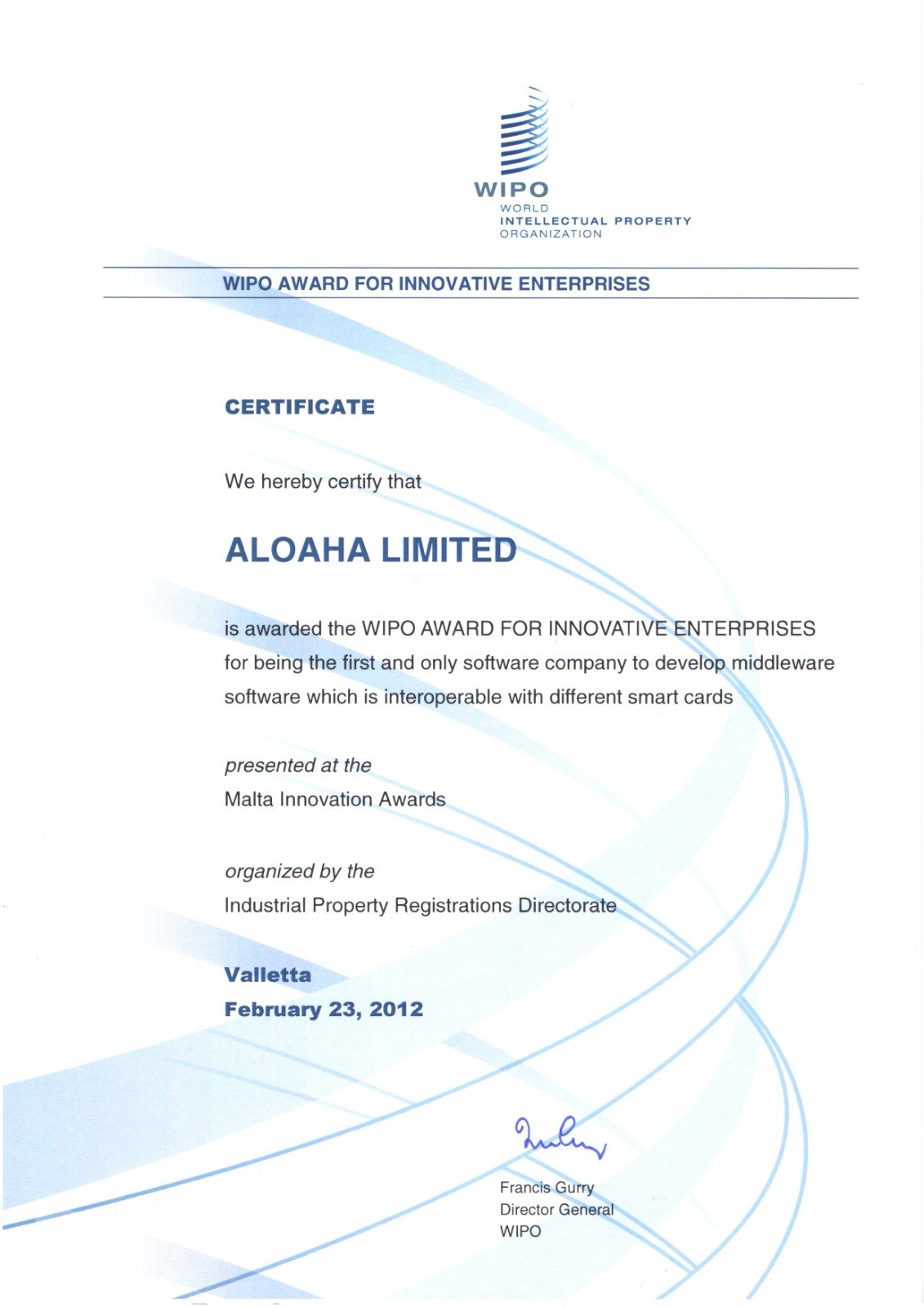
Aloaha Limited, the company behind CodeB Wallet, has built signing, PKI and smart card software since 2003. In 2012 Aloaha received the WIPO Award for Innovative Enterprises at the Malta Innovation Awards in Valletta, for being the first and only software company to develop middleware that works with many different smart cards. The certificate is signed by the Director General of the World Intellectual Property Organization.
The same experience is in CodeB Wallet today: it signs with your signature card over NFC and reads the chip of passports and ID cards.
WIPO Award for Innovative Enterprises, 2012 – Aloaha Limited, the maker of CodeB Wallet. View the certificate
White label
Your own wallet app, built on CodeB Wallet
CodeB Wallet is also available as a white-label solution: your name, your logo and your colours on proven wallet technology, with the features you choose – for issuers, banks, public bodies, associations and companies that want to offer their own wallet app, built to the EUDI Wallet ARF. All about the white-label wallet
White-label wallet
Available now
Your app name, logo, colours and store listingYour brand
You decide which features your app containsYour selection
Your issuers, documents and services preconfiguredConfiguration
PDF signing with your signing service or with signature cards over NFCSigning
OpenID4VCI, OpenID4VP, SD-JWT VC and ISO/IEC 18013-5 mdoc, built to conform with ARF 3Standards
Keys in the phone’s secure hardware, PIN protection, no trackingSecurity
Updates and maintenance from Aloaha in MaltaSupport
Optionally with the backend – wallet provider, PID and attestation issuer, verifier, status lists and relying-party register – operated by Aloaha or handed over (Windows Server with Microsoft IIS, file-based, no database)Backend
FAQ
Frequently asked questions
What is CodeB Wallet?
CodeB Wallet is an Android app that stores digital documents – such as your Person Identification Data (PID), mobile driving licence or CodeB membership card – and presents them in person or online. It can also check other people’s IDs and sign PDF documents. It is built for the European Digital Identity (EUDI) framework under eIDAS 2.0, Regulation (EU) 2024/1183, by Aloaha Limited, Malta.
Can I use CodeB Wallet without installing the app?
Yes. The CodeB web wallet runs in your browser at phone.codeb.io/web-wallet.html and can be added to your home screen. It adds documents from the same issuers and shares them with online services through QR codes and links. For keys kept in your phone’s secure hardware, for reading ID chips and for showing your ID in person, use the Android app. Like the app, the web wallet is not certified. How the web wallet works.
Is there CodeB Wallet for iPhone?
On an iPhone? Use the CodeB web wallet in Safari. It works today, until the CodeB Wallet app is available for iPhone. Open phone.codeb.io/web-wallet.html in Safari and choose Share → Add to Home Screen. Documents added in a Safari tab and in the home-screen app are kept separately, so add them where you will use them.
Do I need an account? How do I get one?
Showing and checking IDs works without an account. For the CodeB signing service and the test PID and Photo ID you need a free account on phone.codeb.io, which you create in the app: Settings → Create a free CodeB account. You hold your passport or ID card to the phone, confirm your e-mail address with a code, and the document-checked guest account is ready – with 5 signatures of your own documents a day. Or tap myeudi.app/open/account on your phone – it opens the account screen directly.
What is an EU Digital Identity Wallet?
eIDAS 2.0 (Regulation (EU) 2024/1183) introduces European Digital Identity Wallets: apps in which people can store identity data and other attestations and share them securely with public and private services. The technical rules are described in the EU Architecture and Reference Framework (ARF).
What is a PID in the EU Digital Identity Wallet?
PID means Person Identification Data: your core identity – name, date of birth, nationality and a few more details. It is issued by your country or by a body it authorises, and it is the digital counterpart of your ID card. A PID answers one question: who are you? The PID you get with the free CodeB account is a test PID, not an official one.
Which ID cards and passports can CodeB Wallet read?
Electronic passports and ID cards that follow ICAO Doc 9303 – in practice most passports issued in recent years and the chip ID cards of the EU and EEA countries. According to ICAO, more than one billion ePassports are in circulation, issued by over 140 states and organisations. 29 EEA countries now issue ID cards with an ICAO-compliant chip; we estimate that well over 200 million of them are in use in Europe. Older cards without a chip cannot be read. CodeB Wallet checks the issuing country’s signature using the country certificates the states publish (CSCA master list). The country certificate list we use (BSI master list, October 2026) covers 115 countries plus the EU and the UN, including all EU member states – see remote ID verification.
Is my data safe?
Your documents and your history are stored only on your phone. Cryptographic keys are kept in the phone’s secure hardware, the wallet is protected by PIN and optionally biometrics, and nothing is shared without your confirmation. The app has no ads, no tracking and no analytics.
Is CodeB Wallet an official or certified wallet?
Not yet. CodeB Wallet is not an official government wallet and it has not been certified. It is built by Aloaha Limited to the EUDI Wallet Architecture and Reference Framework (ARF 3.0) and works with its protocols and formats: OpenID4VCI, OpenID4VP, SD-JWT VC, mdoc and ISO 18013-5. Certification is ahead of us. As of November 2026, the EU certification scheme for these wallets is still a draft, and no wallet has completed it yet. We will only call CodeB Wallet certified once a certification has actually been completed.
When can I download CodeB Wallet?
CodeB Wallet for Android is available on Google Play by invitation – sign up for the beta.
CodeB Wallet for Android is available on Google Play by invitation – sign up for the beta. Issuers and services that want to accept EUDI credentials are welcome to write to info@aloaha.com.
No app? Use CodeB Wallet in your browserOn an iPhone? Use the CodeB web wallet in Safari. It works today, until the CodeB Wallet app is available for iPhone. For keys kept in your phone’s secure hardware and for showing your ID in person, use the app. How the web wallet works